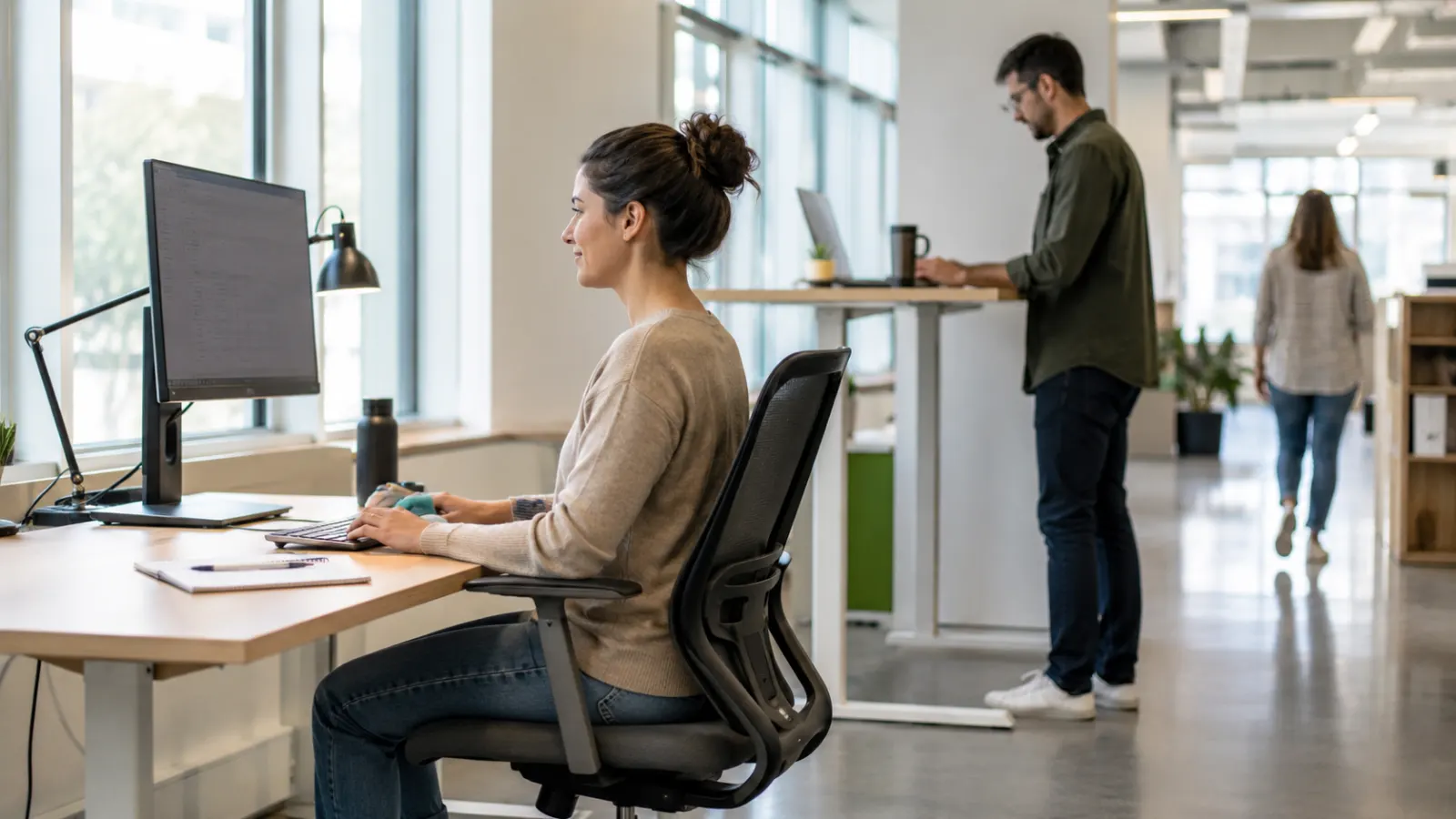
Good Posture and Ergonomics: Why Movement Matters More Than Sitting Perfectly
Good posture is often presented as a rigid visual ideal: shoulders pulled back, chest lifted, spine perfectly straight and feet planted in exactly the right place. Sit differently and you are warned that neck pain, back pain or even permanent spinal damage will follow. Modern ergonomics is considerably less rigid. The U.S. Occupational Safety and Health Administration states explicitly that there is no single correct posture or workstation arrangement that fits everyone. Instead, ergonomic design aims to reduce unnecessary physical stress, support relatively neutral positions and allow people to change position throughout the day.
That distinction matters because the human body is designed to move, not to imitate an ergonomic diagram for eight hours. A position that feels comfortable for ten minutes may become uncomfortable after two hours. A technically “good” sitting posture can still create fatigue when held continuously, while occasionally slouching does not automatically damage the spine. Research examining posture and low-back pain has produced mixed findings, and a major review of systematic reviews found no consensus that particular spinal postures themselves cause low-back pain. More recent workplace research nevertheless suggests that prolonged sitting, static behaviour and some postural patterns can be associated with discomfort or low-back pain. The practical message is therefore more useful than either extreme: posture matters, but duration, movement, workload, workstation fit, physical capacity and individual symptoms matter too.
The Posture Problem Often Begins With the Word “Perfect”
There is no single posture that every person should maintain.
Human bodies differ in height, limb length, spinal shape, mobility, vision, disability, previous injury and the tasks they need to perform. Someone who is 155 centimetres tall cannot use an office chair and desk in exactly the same configuration as someone who is 190 centimetres tall and expect identical results.
Ergonomics therefore works from a different principle: adapt the task and workstation to the person rather than forcing the person to conform to the workstation.
OSHA describes several acceptable computer-working positions rather than one mandatory pose and specifically advises changing position throughout the day even when the current position is considered ergonomically sound.
Good posture is therefore better understood as a range of comfortable, supported positions that avoid unnecessary extremes and can be changed frequently.
That is very different from sitting stiffly upright all day.
What Does “Neutral Posture” Actually Mean?
The phrase neutral posture appears frequently in ergonomics. It does not mean the body must be perfectly straight.
It generally means arranging joints so they are not held unnecessarily near extreme angles and so muscles do not have to work harder than the task requires.
For computer work, OSHA’s reference positions generally involve the head and neck facing forward rather than being repeatedly twisted, the shoulders relaxed, elbows close to the body, wrists relatively straight and aligned with the forearms, the back supported, and the feet supported by either the floor or a footrest.
These are starting points, not anatomical commandments.
Some people prefer sitting more upright. Others are comfortable with the torso slightly reclined. OSHA includes both among possible neutral working positions.
The better question is not, “Do I look exactly like the posture diagram?”
It is: Can I perform the task without prolonged reaching, twisting, excessive muscular effort or persistent discomfort?
Your Spine Is Supposed to Move
The human spine bends, extends, rotates and side-bends during ordinary life. Sitting slightly flexed, bending to tie a shoe or leaning forward temporarily is not inherently evidence of injury.
This matters because posture messaging can create unnecessary fear of normal movement.
The evidence linking specific spinal postures with back pain is considerably less straightforward than the popular “bad posture causes back pain” message suggests. An umbrella review that examined 41 previous reviews found associations between some postures and low-back pain but concluded that evidence for a causal relationship was inconsistent.
This does not mean posture never matters.
Someone with an irritated nerve, disc problem, joint disorder or acute muscular injury may find particular positions painful. Certain occupational postures held repeatedly or for long periods may also contribute to fatigue or discomfort.
The important correction is that ordinary spinal flexion is not automatically damage.
Pain and tissue loading depend on context.
Slouching Is Not a Medical Diagnosis
Slouching has acquired an almost moral status in posture culture.
Someone sits forward and immediately appears to be “doing posture wrong.”
Yet people routinely move into relaxed flexed positions because they are comfortable. The problem often begins when one position—slouched, upright or otherwise—is maintained for too long without variation.
A 2020 systematic review examining objectively measured sitting found that prolonged sitting frequently produced an immediate increase in low-back discomfort, but the authors could not conclude that sitting itself causes clinical episodes of low-back pain.
A 2025 review of office workers found relationships between low-back pain and sitting time, posture and behaviour, but the strongest pattern involved sitting behaviour, including fewer breaks and more static sitting, rather than a single universally harmful spinal shape.
That distinction is useful.
The enemy is not one photograph of a slouched body.
The more important exposure may be hours of static loading with too little opportunity to move.
Even “Perfect” Posture Becomes a Problem When Held Too Long
Muscles continuously perform low-level work to support the head, neck, shoulders and torso while someone sits.
Even when joint positions look ergonomically reasonable, static muscular activity continues.
OSHA therefore states that remaining in the same posture or sitting still for prolonged periods is not healthy and advises changing working position frequently, making small chair adjustments, stretching and periodically standing or walking.
This is one of the most important principles in modern office ergonomics.
You can buy an expensive chair, place the monitor perfectly and still feel uncomfortable if you remain almost motionless for an entire workday.
A useful shorthand is:
A good posture is a posture you are free to leave.
Workstation Fit Still Matters
Rejecting the idea of one perfect posture does not mean ergonomics is meaningless.
A poorly arranged workstation can repeatedly force the body into unnecessary positions.
Imagine a monitor positioned far to the right. Every time the worker reads the screen, the neck rotates. Place the screen too low and the person may spend hours looking downward. Put the keyboard too far away and the shoulders and arms have to reach. Place the mouse on a different height from the keyboard and the shoulder may remain elevated or abducted.
OSHA notes that awkward arrangements can contribute to fatigue and discomfort because muscles, tendons and joints must repeatedly compensate for equipment that is poorly positioned.
Ergonomic adjustment therefore does not promise to prevent every episode of pain.
It removes avoidable physical demands.
Start With the Chair
The chair provides the physical base for most seated computer work.
A useful chair should support the back and allow the user to position the rest of the workstation comfortably. The exact chair model matters less than whether it fits the person and can be adjusted appropriately.
OSHA recommends supporting the back, legs and feet and avoiding arrangements that create awkward postures or contact pressure. Mayo Clinic similarly recommends adjusting chair height so the feet rest on the floor or a footrest while the thighs remain supported.
If the chair is too high and the feet hang unsupported, the seat edge can place pressure beneath the thighs.
If it is too low relative to the desk, the worker may raise the shoulders to reach the keyboard.
The chair and desk therefore cannot be adjusted independently.
They form one system.
Your Feet Need Somewhere to Go
For many workers, the easiest ergonomic improvement is surprisingly simple: support the feet.
People often raise their chair to achieve a comfortable keyboard height and then discover that their feet no longer reach the floor.
That does not mean the chair must be lowered again if doing so forces the shoulders upward.
A footrest can bridge the difference.
The broader principle is support. The thighs and feet should not be left hanging while the worker tries to maintain a textbook posture through muscular effort alone.
Ergonomics works best when furniture provides the support instead of asking muscles to create it continuously.
Lower-Back Support Should Be Comfortable, Not Aggressive
Many office chairs include lumbar support intended to support the natural contour of the lower back.
That can reduce the amount of muscular effort needed to remain comfortable.
But more lumbar support is not automatically better.
A support that pushes aggressively into the back can itself become uncomfortable. People also differ in spinal shape and preferred sitting position.
The aim is not to force the lumbar spine into a dramatic curve.
It is to provide enough support that the person can sit comfortably without constantly holding themselves upright through muscular effort.
Monitor Position Can Change Neck Behaviour
A badly placed monitor often causes people to adapt unconsciously.
A screen positioned too high may require repeated upward head movement. A screen too low may encourage sustained downward viewing. A monitor far away may make the worker lean forward simply to read text.
OSHA recommends positioning the monitor directly in front of the worker and generally about 20 to 40 inches, or roughly 50 to 100 centimetres, from the eyes, depending on screen and visual requirements. The top of the display should generally be at or below eye level.
These are useful starting ranges, not rigid rules.
Someone wearing bifocals, for example, may need the monitor lower to avoid extending the neck while looking through the lower part of the lenses. Mayo Clinic specifically recommends adjusting the screen accordingly.
The final position should allow the person to see comfortably without repeatedly craning the neck.
Make Text Bigger Before Moving Your Head Closer
People sometimes blame posture when the real problem is visibility.
If text is too small, a worker may gradually lean toward the monitor.
The solution may be increasing font size, interface scaling or zoom rather than repeatedly reminding the person to “sit straight.”
OSHA notes that monitor distance should allow text to be read comfortably while the head and torso remain supported.
Ergonomics therefore includes the digital interface as well as physical furniture.
A screen setup that cannot be read comfortably will eventually change posture regardless of how carefully the chair was adjusted.
Keyboard Position Determines What the Shoulders and Wrists Have to Do
The keyboard should generally be placed directly in front of the user at a height that allows the shoulders to remain relaxed and the elbows reasonably close to the body.
OSHA recommends keeping wrists relatively straight and aligned with the forearms rather than repeatedly bending them upward, downward or sideways.
A keyboard that is too high can make the worker lift the shoulders.
One that is too low may increase wrist extension depending on how the hands are positioned.
A keyboard placed too far away encourages reaching.
These are small differences, but computer workers may repeat the same movements thousands of times.
Reducing unnecessary reaching and extreme joint angles therefore makes sense even when no posture guarantees freedom from injury.
Keep the Mouse Close
The mouse or other pointing device should be treated as part of the keyboard area.
If the keyboard is directly in front but the mouse sits far away, the arm repeatedly reaches outward every time the pointer is used.
OSHA recommends placing frequently used devices within comfortable reach.
This becomes particularly important when workers use large keyboards, small desks or multiple devices.
Sometimes the solution is as simple as moving rarely used objects elsewhere so the mouse can sit beside the keyboard.
Ergonomics often improves not through specialised equipment but through better use of the space already available.
Frequently Used Objects Should Be Easy to Reach
Phones, notebooks, documents and other repeatedly used items should generally be located where they can be accessed without repeated stretching or twisting.
If an object is used only a few times per day, standing to retrieve it may actually be beneficial because it creates a movement break.
The goal is not to create a workstation where the worker never has to move.
It is to avoid hundreds of unnecessary reaches while still encouraging regular changes in position.
That distinction prevents ergonomic efficiency from accidentally becoming total physical inactivity.
Laptops Create a Built-In Ergonomic Compromise
The laptop creates a design problem that cannot be completely solved while using it as one integrated unit.
The keyboard and screen are physically connected.
Place the keyboard at a comfortable height for the hands and the screen is often lower than ideal.
Raise the laptop so the screen sits at a comfortable viewing height and the keyboard becomes too high for prolonged typing.
OSHA recognises laptops as presenting special ergonomic challenges, while Mayo Clinic recommends using an external keyboard and mouse with a laptop stand for extended desk work.
For a five-minute email, this compromise may not matter.
For eight hours of laptop work every day, separating the screen from the input devices becomes much more useful.
A Laptop Stand Is Most Useful With an External Keyboard
Simply raising a laptop on a stack of books can improve screen height but may worsen arm position if the built-in keyboard is still used.
The practical configuration is usually to raise the laptop screen and use an external keyboard and mouse at an independently comfortable height.
This is a good example of why ergonomics must consider the entire workstation.
Improving one body region while creating another problem elsewhere is not an ergonomic improvement.
Phones Create the Same Problem in a Smaller Package
Phones encourage users to bring their head toward the screen because the display is small and usually held below eye level.
Brief periods of this are ordinary and unlikely to be inherently dangerous.
The issue becomes more relevant when someone spends long uninterrupted periods reading, typing or watching on the device.
Rather than fearing the downward head position itself, practical strategies include raising the device occasionally, supporting the arms, changing position and breaking long sessions into shorter periods.
Again, duration and variation matter.
Tablets Have Similar Trade-Offs
A tablet placed upright improves viewing height but can make typing awkward.
Place it flat on a desk and typing becomes easier while the neck may remain flexed for longer periods.
For substantial keyboard work, an external keyboard or appropriately positioned case can reduce the compromise.
Technology changes rapidly.
The ergonomic principle remains the same:
separate tasks that demand different physical positions whenever practical.
Standing Desks Are Not the Cure for Sitting
Standing desks became popular partly because people learned that long periods of sedentary behaviour are associated with health problems.
The obvious conclusion was that standing must therefore be healthier.
But standing still for long periods introduces its own problems, including lower-limb fatigue and discomfort.
OSHA specifically recommends changing between working positions rather than simply replacing prolonged sitting with prolonged standing.
A sit-stand desk is therefore valuable mainly because it provides another position.
Its benefit is flexibility.
The healthiest feature may not be standing itself but the ease with which the worker can change posture.
Do Not Turn Standing Into Another Posture Competition
A worker who buys a standing desk can easily reproduce the same mistake made while sitting: holding one rigid position for hours.
People may lock their knees, lean continuously onto one hip or brace themselves against the desk.
There is no need to stand theatrically upright.
Move weight between the feet.
Sit when tired.
Walk occasionally.
Change the desk height when necessary.
The point is movement variability, not winning a standing contest.
The Best Posture May Be the Next Posture
This phrase captures an important ergonomic idea.
A supported upright position may be useful while typing.
A slightly reclined posture may feel better while reading.
Standing can work well during a call.
Walking may be appropriate for a meeting.
Occasionally leaning forward can be comfortable for short periods.
The body benefits from having options.
OSHA’s workstation guidance explicitly presents multiple reference positions as acceptable and recommends changing among them.
A workstation that allows only one “correct” posture is therefore less adaptable than one that supports several.
Movement Breaks Do Not Need to Become a Complicated Ritual
Office-health advice often prescribes elaborate schedules: stand every twenty minutes, stretch every thirty minutes, walk for exactly two minutes every hour.
There is nothing inherently wrong with reminders, especially for someone who loses track of time.
But movement does not need to become another source of anxiety.
The objective is simply to prevent static exposure from dominating the workday.
Stand while taking a call. Walk to speak with a colleague. Refill water. Change chair position. Stretch briefly after finishing a task. Take stairs when practical.
OSHA recommends periodically standing and walking and making small posture adjustments throughout the day.
Consistency matters more than creating a perfect movement schedule.
Work Design Can Matter More Than the Chair
Ergonomics is often marketed through products: ergonomic chairs, keyboards, standing desks, footrests and monitor arms.
Equipment can help.
But job design also determines how much opportunity people have to move.
A call-centre worker measured continuously on time away from the desk may have a perfectly adjustable chair but little freedom to change position.
A warehouse worker may have good lifting equipment but production targets that encourage rushed movements.
A surgeon may have limited ability to change posture during a long procedure.
Ergonomics therefore includes task duration, workload, repetition, force and opportunities for recovery, not merely furniture.
OSHA notes that repetitive tasks performed with little variation may provide insufficient time for muscles and tendons to recover.
Posture and Pain Have a Complicated Relationship
This is where posture advice most often becomes misleading.
Back and neck pain are multifactorial.
NIAMS notes that back pain can involve mechanical or structural conditions, nerve problems, inflammatory disease, age, fitness, occupational demands, sleep, depression, anxiety and other medical conditions.
Poor workstation fit can contribute to discomfort.
But fixing posture cannot be expected to cure every episode of back pain.
Someone may improve significantly after raising a monitor because prolonged neck flexion was contributing to symptoms.
Another person can perfect the workstation and continue experiencing pain because the primary problem involves a nerve, inflammatory disease, degenerative change or another condition.
Posture can be part of the explanation without being the whole diagnosis.
Pain Does Not Always Mean Tissue Damage
Another reason posture conversations become frightening is the assumption that discomfort necessarily means the spine is being damaged.
Pain is more complicated than that.
Tissue injury can certainly cause pain, but symptoms are also influenced by previous injury, nervous-system sensitivity, sleep, stress, movement confidence and other factors.
This does not mean pain is imaginary.
It means the intensity of pain cannot always be translated directly into the amount of structural damage.
That distinction can prevent people from becoming unnecessarily afraid of ordinary movement.
But Persistent Pain Should Not Simply Be Ignored
The opposite mistake is equally unhelpful.
Saying posture is complicated does not mean all discomfort should be dismissed.
Persistent neck, shoulder, wrist or back symptoms deserve investigation when they interfere with work or daily life.
Sometimes a relatively small workstation adjustment solves the problem.
Sometimes task variation, strength and conditioning or physiotherapy is appropriate.
Sometimes the cause has little to do with office ergonomics.
The purpose of an ergonomic checklist is to identify modifiable exposures.
It is not to diagnose disease.
Strength Changes How Much Load the Body Can Tolerate
Posture advice sometimes focuses exclusively on alignment while ignoring capacity.
Two people may perform the same task in similar positions but tolerate it differently because their physical conditioning, injury history and workload differ.
General strength can improve the body's ability to manage occupational demands.
That includes trunk, hip, upper-back, shoulder and lower-limb strength depending on the task.
NIAMS identifies fitness level as one factor associated with back pain and notes that physical conditioning can influence spinal support.
This does not support the simplistic claim that “weak core muscles cause back pain.”
The more defensible conclusion is that physical capacity influences load tolerance.
You Do Not Need Special “Posture Muscles”
Advertising often implies that one hidden muscle group is responsible for poor posture and must be activated correctly.
Human movement is not usually that simple.
Standing, sitting, walking and reaching involve coordinated work across many muscles and joints.
General resistance training, regular aerobic activity and sufficient mobility can therefore support physical resilience without requiring everyone to follow a specialised posture-correction programme.
Specific rehabilitation exercises can still be useful when prescribed for an individual problem.
They simply should not be presented as mandatory maintenance for every healthy spine.
Ergonomics Should Make Work Easier, Not Make You Constantly Monitor Yourself
Constant posture checking can itself become exhausting.
If someone is thinking every five minutes, “Are my shoulders back? Is my pelvis neutral? Is my chin tucked enough?”, the workstation is not functioning as intended.
Good ergonomic design should make comfortable positions relatively easy to adopt without constant conscious effort.
A supportive chair reduces the need to hold the torso rigidly.
An appropriately positioned monitor reduces the urge to lean forward.
A nearby keyboard reduces reaching.
The environment should do some of the work.
Eye Strain Can Quietly Change Posture
Sometimes the problem begins with vision rather than the spine.
A person who cannot clearly read the monitor may lean forward. Glare may cause someone to tilt or rotate the head repeatedly. Poor contrast can encourage squinting and neck movement.
OSHA notes that excessive glare and inappropriate lighting can contribute to eye fatigue and cause workers to adopt awkward positions while trying to see the screen.
That is why an ergonomic assessment should ask not only, “Where is the monitor?”
It should also ask, “Can you actually see it comfortably?”
Multiple Monitors Need Different Arrangements
Someone who uses one monitor should generally keep it centrally positioned.
Multiple monitors create a different problem.
If one screen is used most of the time, it should usually remain the primary screen in front of the worker while the secondary screen sits beside it.
If both screens are used equally, a centred arrangement may reduce repeated rotation.
OSHA’s purchasing guidance recommends placing the most frequently used monitor in front of the employee.
The objective is to avoid spending most of the day with the head and torso rotated toward a screen located off to one side.
Documents Can Create the Same Neck Problem as a Monitor
Someone repeatedly copying information from paper positioned flat on the desk may spend long periods looking downward.
A document holder can place frequently referenced material closer to the visual line between the keyboard and monitor.
OSHA notes that appropriate document placement can reduce awkward head and neck positions, fatigue and eye strain.
This is particularly useful for jobs involving transcription, data entry, proofreading or comparison between printed and digital records.
Ergonomics Is Different for People With Disabilities
Generic posture diagrams usually depict one able-bodied adult sitting conventionally at a desk.
Real workplaces contain much greater variation.
Someone with scoliosis, arthritis, a limb difference, neurological disability, chronic pain or limited mobility may require a workstation that looks very different from a standard ergonomic illustration.
For such workers, “neutral” should mean reducing unnecessary physical demand within the person's available and comfortable range—not forcing visual conformity with a textbook pose.
Adjustability matters precisely because bodies differ.
Ergonomics Also Changes With the Task
The ideal workstation arrangement for sustained typing is not necessarily the best arrangement for graphic design, laboratory work, assembly, customer service, driving or video editing.
Someone performing detailed mouse work may need different arm support than someone mostly reading.
A worker alternating between paper documents and two screens may need another arrangement.
Ergonomics therefore begins with the task.
Ask what movements occur repeatedly, where force is required, which body positions are sustained and which equipment is used most often.
Only then does furniture adjustment make sense.
Remote Work Created New Ergonomic Problems
Working from home often means using furniture designed for dining or relaxation rather than eight-hour computer work.
Kitchen tables may be too high relative to chairs.
Sofas provide comfort initially but little support for prolonged keyboard work.
Laptop use becomes more common because employees lack dedicated monitors and peripherals.
The solution does not always require building a full corporate workstation at home.
A separate keyboard, mouse, laptop stand, supportive chair arrangement and occasional change of location can solve several major problems relatively inexpensively.
The objective remains the same: reduce unnecessary reaching and sustained awkward positioning while preserving movement options.
Ergonomic Equipment Is Not Automatically Ergonomic for You
A chair can be marketed as ergonomic and still fit badly.
A split keyboard can help one worker and annoy another.
A standing desk can increase movement or simply create eight hours of standing.
OSHA notes that some alternative keyboards can facilitate neutral wrist positions but that available research does not conclusively show they prevent discomfort or injury.
This is an important consumer lesson.
“Ergonomic” is not a guarantee of medical benefit.
Equipment should solve an identifiable problem in the task or workstation.
Posture Correctors Are Not a Substitute for Ergonomics or Movement
Commercial posture braces and wearable devices are often marketed as ways to force the shoulders backward or alert people whenever they slouch.
They may provide temporary reminders for some users.
But forcing one position does not address why the person repeatedly leaves it.
If the monitor is too low, the person will still need to see it.
If the desk forces reaching, the arms will still reach.
If the person has been sitting for three hours, the body may simply need movement rather than stronger reminders to remain upright.
Fix the environment and work pattern before trying to discipline the body.
Good Posture While Standing Is Also Flexible
Standing posture is commonly illustrated with the ears, shoulders, hips and ankles aligned.
That can be a useful reference.
It should not become a requirement to stand motionless.
Healthy standing includes shifting weight, changing foot position and occasionally supporting one foot differently.
The body naturally moves around its centre of mass even when apparently standing still.
Rigidly bracing the abdomen, pulling the shoulders sharply backward and locking the knees can create more muscular effort rather than less.
A comfortable stance should feel supported, not performed.
Driving Creates a Special Static-Posture Problem
Drivers can spend long periods with limited opportunities for position changes.
Seat distance, steering-wheel reach, backrest angle and head-rest position can therefore influence comfort.
But even here, posture should not be blamed too simplistically for low-back pain. A systematic review of occupational driving found that evidence linking specific driving posture with low-back pain was not strong enough to justify many commonly repeated assumptions.
Driving exposure also includes vibration, long sitting duration, limited movement and occupational workload.
Once again, the broader exposure matters more than one visual posture.
Good Lifting Technique Is Not One Perfect Spine Shape Either
Posture discussions often extend into lifting, where people are told never to bend the back.
Real lifting is more complicated.
The safest strategy depends on the object, load, frequency, distance, available space and individual capacity.
Keeping loads close to the body, reducing unnecessary twisting, using appropriate equipment and matching the load to available strength are generally more useful principles than treating all spinal flexion as dangerous.
Someone regularly lifting heavy objects at work may require a formal ergonomic assessment rather than a generic internet posture checklist.
What Should You Change First?
Start with whatever repeatedly makes your body compensate.
If you lean forward because the text is too small, fix visibility.
If your feet hang from the chair, support them.
If your shoulders rise while typing, reassess chair, desk and keyboard height.
If you constantly twist toward a secondary monitor, change the screen arrangement.
If you are comfortable initially but painful after two hours, add more variation rather than endlessly adjusting the same sitting posture.
Ergonomics becomes much simpler when every adjustment answers a specific problem.
When Should Posture-Related Pain Be Medically Assessed?
Most ordinary back discomfort is not an emergency, but some symptoms should not be explained away as “bad posture.”
NIAMS advises seeking medical evaluation when back pain does not improve after several weeks or when it occurs with numbness or tingling, significant weakness, difficulty urinating, fever, unexplained weight loss, severe pain that does not improve, or pain following a fall or significant injury.
Progressive neurological symptoms deserve particular attention.
Likewise, persistent neck, wrist or shoulder problems that continue despite reasonable workstation adjustments may benefit from clinical or occupational-health evaluation.
Good ergonomics should reduce avoidable strain.
It should never delay investigation of symptoms suggesting something more significant.
Frequently Asked Questions
What is good posture? Good posture is better understood as a comfortable, supported range of positions that reduces unnecessary strain and allows movement rather than one rigid body alignment everyone must maintain.
Is there one perfect sitting posture? No. OSHA specifically states that no single correct posture or workstation arrangement fits everyone.
What is neutral posture? Neutral posture generally means keeping joints relatively away from extreme positions while maintaining enough support that muscles do not perform unnecessary work.
Is slouching bad for your spine? Occasional slouching is not automatically damaging. Evidence does not support a simple causal rule in which one spinal posture inevitably causes low-back pain. Duration, movement, task demands and individual symptoms matter.
Can bad posture cause back pain? Workstation posture can contribute to discomfort in some people, but back pain has many possible causes and research does not support posture as the sole explanation for most cases.
Is sitting all day bad for your back? Prolonged sitting can produce immediate low-back discomfort in some people, although this does not prove that sitting alone causes clinical low-back-pain disorders. Movement and variation are useful.
How should I position my computer monitor? OSHA recommends keeping it in front of you, generally 20–40 inches from your eyes, with the top of the screen around or below eye level, adjusted for visual needs.
How should my keyboard be positioned? Keep it directly in front of you at a height and distance that allows relaxed shoulders, elbows near the body and wrists roughly aligned with the forearms.
Should my feet be flat on the floor? They should be comfortably supported. If raising your chair for appropriate keyboard height leaves your feet unsupported, a footrest can be useful.
Should I use lumbar support? Comfortable lower-back support can reduce the muscular effort needed during sitting, but the amount and shape of support should suit the individual.
Are standing desks better than sitting desks? Not automatically. Their major advantage is allowing another working position. Prolonged standing can also become uncomfortable, so alternating positions is generally more useful than standing continuously.
How often should I move at work? There is no universal minute-by-minute rule. OSHA recommends changing working positions frequently, making small adjustments and periodically standing and walking.
Is a laptop bad for posture? Short-term laptop use is usually manageable, but prolonged use creates a compromise because the screen and keyboard cannot be positioned independently. An external keyboard and mouse with the screen raised can improve extended desk use.
Are posture correctors necessary? Usually not for general office ergonomics. Adjusting the workstation, moving regularly and improving physical capacity addresses the broader problem more directly.
Can exercise improve posture? General strength, mobility and aerobic fitness can improve physical capacity and tolerance of daily activity. Specific exercises may be useful when an individual problem has been identified.
Does having strong core muscles prevent back pain? Physical conditioning can support function, but weak core muscles do not explain every case of back pain, which has many possible contributors.
Can stress affect back pain? Yes. NIAMS notes that poor sleep, depression and anxiety can be associated with more frequent or severe back pain.
Is neck pain always caused by looking down at a phone? No. Sustained device use can contribute to fatigue or symptoms, but neck pain is multifactorial and should not automatically be attributed to one posture.
What is the most important posture rule? Avoid making one position your entire workday. Use supported positions, make the equipment fit you and change posture regularly.
Stop Thinking of Posture as a Photograph
Most posture advice fails because it judges the body at one instant.
A photograph cannot tell you whether someone has been sitting for thirty seconds or four hours.
It cannot tell you whether the position is painful.
It cannot show what the person does during the rest of the day.
It cannot reveal whether the monitor is readable, whether the chair fits or whether the worker has a medical condition.
Ergonomics is therefore better understood as a relationship between the person, task, equipment, environment and time.
That is a much richer concept than “sit up straight.”
The Central Idea
Good posture is not the ability to hold one supposedly perfect position from morning until evening.
It is the ability to work in comfortable, supported and adaptable positions while changing them often enough that no single posture becomes a prolonged load. OSHA’s own guidance reflects this approach: there is no universal correct workstation posture, several neutral reference positions are acceptable, and people should change working position regularly.
Workstation fit still matters. A monitor far to one side creates unnecessary rotation. A keyboard too high can elevate the shoulders. A poorly positioned mouse encourages reaching. Unsupported feet or inadequate back support can make sitting unnecessarily tiring. Laptops create predictable compromises during prolonged use because the keyboard and screen cannot be adjusted independently.
But correcting those problems should not create a new myth: that anyone experiencing back or neck pain simply failed to sit correctly.
Pain is more complicated. Research has not established a simple causal relationship between one spinal posture and low-back pain, while sitting duration, static behaviour, physical workload, fitness, sleep, stress and medical conditions can all contribute.
The better approach is therefore practical rather than moralistic.
Make the workstation fit the body.
Keep frequently used equipment within comfortable reach.
Support the feet and back where useful.
Position screens so they can be read without constant compensation.
Use external devices for prolonged laptop work.
Build enough strength and general fitness to tolerate everyday demands.
And most importantly, move.
The human body is not a statue that needs to be aligned once and preserved.
Good posture is adaptable posture.
The goal is not to sit perfectly.
It is to make movement easy, unnecessary strain less frequent and the working day physically sustainable.