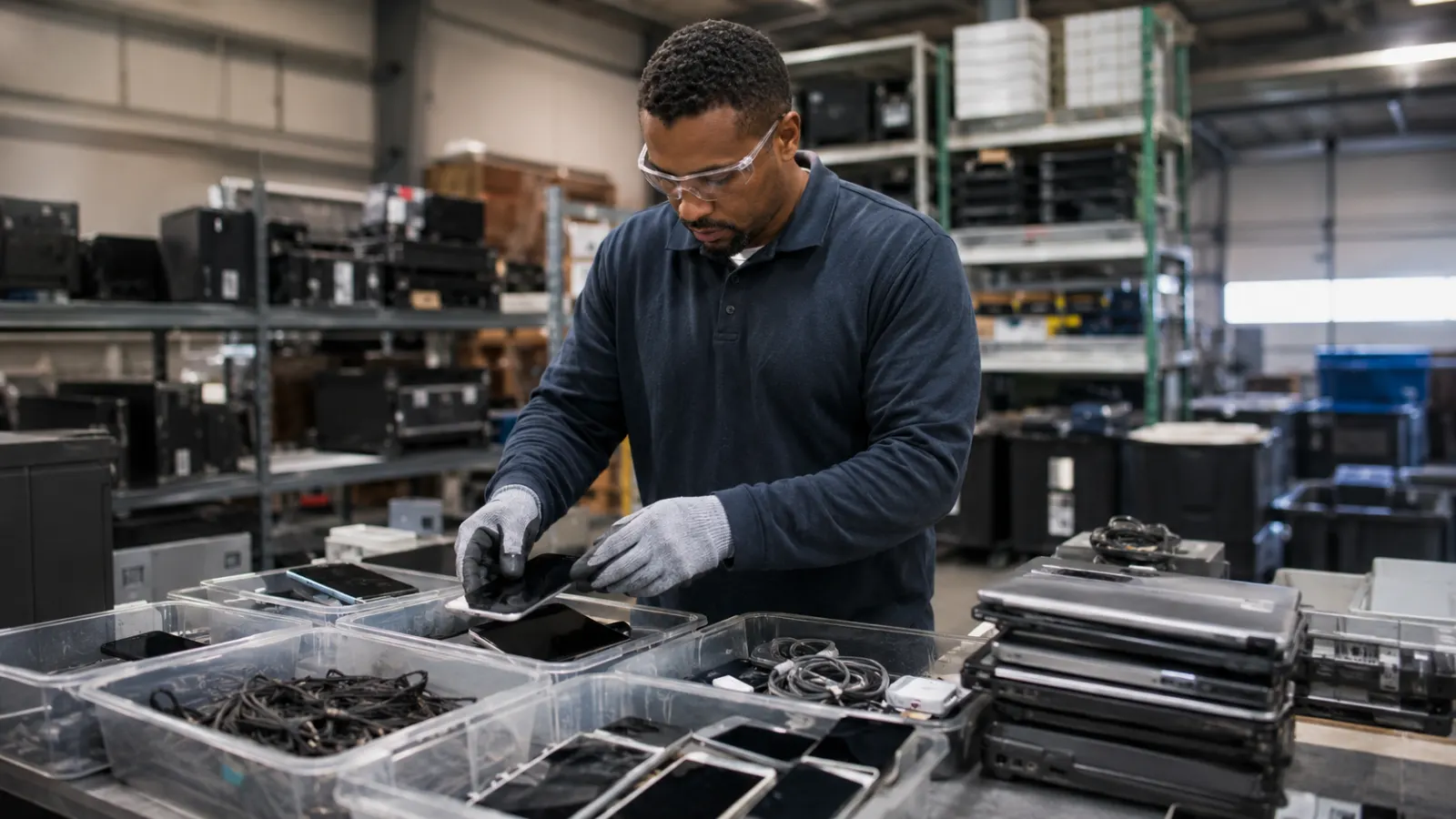
How to Dispose of Electronics Safely: A Practical Guide to E-Waste
An old phone, laptop, charger or household appliance may look like ordinary rubbish once it stops being useful, but electronics require a different kind of exit from ownership. They can contain rechargeable batteries capable of causing fires, storage devices holding years of personal information, reusable components with remaining economic value and materials that should be recovered through controlled recycling rather than mixed with general waste. Safe electronics disposal is therefore not simply a question of finding the nearest bin. It is a sequence: decide whether the device still has useful life, protect the data, identify batteries or other hazards, and then send the product through an appropriate reuse or recycling channel.
That order matters. Recycling a computer that could easily have been repaired discards much of the manufacturing value already embedded in it. Donating a phone without removing personal data creates a privacy problem. Throwing a lithium-ion battery into ordinary household recycling can create a fire hazard. Giving obsolete institutional equipment to an unknown scrap buyer can create environmental, information-security and asset-control risks at the same time. Responsible e-waste management therefore begins before the device physically leaves your hands.
What Counts as E-Waste?
Electronic waste, or e-waste, generally refers to electrical or electronic products that are no longer wanted, usable or economically worth repairing. The category can include phones, computers, tablets, televisions, printers, routers, chargers, power banks, batteries, small appliances and larger equipment such as refrigerators or air-conditioners.
Not every unwanted electronic product should immediately become waste. A functioning device that can be repaired, upgraded, donated or refurbished may still have substantial useful life.
That distinction is important because reuse generally preserves more of the resources already invested in manufacturing the device than breaking it down immediately for raw-material recovery.
Recycling should therefore be treated as an important end-of-life option rather than automatically as the first option.
Step 1: Ask Whether the Device Actually Needs to Be Disposed Of
Before searching for a recycling location, decide whether the product still has a practical second life.
A slow computer may need additional memory, a replacement battery or a storage upgrade. A phone being replaced by one family member may still be perfectly adequate for another. Some appliances can be repaired economically, while schools, charities or refurbishment programmes may have realistic uses for equipment that no longer meets the original owner's needs.
The U.S. Environmental Protection Agency encourages users to consider upgrading hardware or software before purchasing a replacement and supports donation or recycling once electronic equipment is genuinely no longer required.
Extending product life can preserve the energy, labour and materials already embodied in manufacturing. Recycling can recover some materials, but it cannot recreate all of the value represented by a functioning product.
The practical hierarchy is therefore often:
keep using → repair or upgrade → pass on or refurbish → recycle responsibly
Repair Is Often Better Than Premature Replacement
Modern electronics are frequently replaced because they feel slow, have damaged batteries or lack one desired feature rather than because the entire product has failed.
Where repair is safe and economically sensible, extending the device's life delays the environmental burden of manufacturing another product and postpones the need to process the old one as waste.
This does not mean every device should be repaired indefinitely. Unsupported electronics can become security risks, and repair costs may exceed realistic product value. Certain damaged batteries or high-voltage appliances should also be handled by qualified professionals rather than opened casually.
The point is simply that “old” and “waste” are not identical categories.
Step 2: Back Up Everything You Need
Before wiping, donating or recycling a device, identify what information must be retained.
That can include photographs, documents, messages, contacts, application data, authentication information and locally stored files. Backups should be completed and checked before the original data are erased. A backup that has never been tested should not automatically be assumed to be usable.
Modern electronics may also be linked to cloud accounts, device-finding services, mobile wallets, subscriptions, business management systems or authentication applications. Removing or transferring those relationships can be as important as copying local files.
For phones and tablets, users may also need to remove SIM cards or external memory cards if they are not intended to accompany the device.
The objective is to separate everything the owner still needs from everything that can safely leave with the hardware.
Company Equipment Requires Different Rules
Work devices should not be handled as though they were ordinary personal property.
An organisation may require equipment to be returned through IT, entered into an asset-management system, sanitised according to information-security policy or transferred only through approved recyclers.
An employee who independently wipes and donates a company laptop may inadvertently destroy required records, violate internal policy or allow an asset to leave organisational custody without documentation.
For business, school or government equipment, the correct first step is therefore usually to follow institutional disposal procedures rather than improvising.
Step 3: Remove Accounts Before Resetting the Device
Modern devices often remain associated with the owner's account even after the physical product changes hands.
Phones, tablets and computers may use activation locks or device-finding features intended to make stolen equipment difficult to reuse. Those protections are valuable while the product belongs to you, but they can make legitimate refurbishment impossible if the device remains linked to the previous owner's account.
Before transferring a reusable device, sign out of relevant accounts and follow the manufacturer's instructions for removing ownership or activation-lock associations.
Subscriptions and digital services should also be checked. A device leaving your possession should not remain authenticated to email, cloud storage, payment systems or other accounts unless that access is intentionally transferred.
Step 4: Sanitise the Data Properly
Deleting files is not the same as securely sanitising a storage device.
A person can empty a recycling bin or perform a basic file deletion while information remains recoverable from the storage medium. For ordinary modern consumer products, manufacturer-provided secure reset or erase procedures are appropriate in many reuse and recycling situations.
The process should nevertheless be matched to the sensitivity of the information and the technology involved.
The National Institute of Standards and Technology's 2025 SP 800-88 Revision 2 treats media sanitisation as the process of making access to target data infeasible for an appropriate level of effort. Its framework emphasises a managed, risk-based sanitisation programme and validation rather than one universal technique applied to every storage device.
This is particularly important because modern solid-state storage, encryption and embedded memory do not behave exactly like older magnetic hard drives.
There Is No Universal “Overwrite It Three Times” Rule
Older data-destruction advice often promotes simple rules such as overwriting a drive a fixed number of times.
Modern storage technologies make such universal prescriptions unreliable.
A suitable sanitisation technique depends on the storage technology, encryption, data sensitivity, device condition and whether the hardware is intended for reuse.
For many encrypted modern consumer devices, the manufacturer's reset procedure can be appropriate. Highly sensitive organisational media may require cryptographic erase, specialised sanitisation or physical destruction according to policy.
A discarded household streaming device and a storage array containing confidential medical information clearly do not present the same risk.
Data disposal should therefore be proportionate rather than ritualistic.
Step 5: Identify the Battery Before Choosing a Disposal Route
Lithium-ion batteries deserve special attention because they can retain substantial stored energy even when the product appears dead.
If damaged, crushed, punctured or short-circuited, a battery can overheat and potentially ignite. EPA guidance states that lithium-ion batteries and devices containing them should not be placed in household garbage or ordinary recycling bins.
Different collection programmes handle batteries differently. Some accept electronics with batteries installed. Others request removal of easily detachable batteries and manage them through a separate battery stream.
Follow the receiving programme's instructions rather than forcing a sealed device open.
A battery that was not designed for routine user removal should not be extracted with knives, screwdrivers or improvised tools simply because the owner assumes recyclers require separation.
Damaged or Swollen Batteries Need Extra Care
A battery that appears swollen, leaking, unusually hot, physically damaged or otherwise abnormal should not be treated like an ordinary used battery.
Do not puncture, crush or intentionally discharge it through improvised methods. Avoid unnecessary handling and keep it away from sources of ignition while seeking guidance from an appropriate battery, hazardous-waste or electronics collection service.
Damaged lithium batteries may require specialised transport or packaging rules depending on jurisdiction.
The correct response is local professional guidance, not experimentation.
Do Not Dismantle Electronics Casually
Electronic equipment can contain hazards beyond batteries.
Broken screens can create sharp glass. Older devices may contain mercury-containing components. Printers can contain toner or liquid consumables. Cooling appliances can contain refrigerants and oils. Power supplies and some appliances contain electrical components that can remain hazardous even after equipment has been unplugged.
Home dismantling can therefore convert a manageable intact product into a collection of exposed hazards.
Removing a clearly user-replaceable battery, memory card or storage drive according to manufacturer instructions may be straightforward. Crushing circuit boards, breaking screens, burning wire insulation or using acids or other chemicals to recover metals is not.
The presence of valuable metals inside electronics does not make informal recovery safe.
Step 6: Choose a Legitimate Collection Route
Once reuse, data protection and battery handling have been addressed, the product should move to an appropriate collection channel.
Depending on location and device type, this can include a municipal e-waste site, manufacturer take-back programme, retailer collection scheme, charitable refurbishment organisation or specialist electronics recycler.
EPA recommends checking community and state recycling facilities and notes that manufacturers and retailers may operate donation or recycling programmes.
A responsible collection point should be able to explain what products it accepts and how those products are handled.
“Someone takes old electronics” is not enough information for high-value, hazardous or data-bearing equipment.
Why the Ordinary Household Recycling Bin Is Often the Wrong Place
Electronics may contain recyclable metals and plastics, but that does not mean they belong in ordinary curbside recycling.
Household recycling systems are designed for specific accepted material streams. They are generally not designed to dismantle computers, phones, televisions or battery-containing equipment.
Lithium batteries can be particularly dangerous when placed into ordinary collection systems. Compaction and mechanical sorting can damage cells and create fire risks in trucks or recycling facilities.
Electronic products can also shatter and contaminate otherwise recyclable material.
The correct rule is therefore simple: “recyclable” does not mean “put it in any recycling bin.”
Only use a household collection stream when the local programme explicitly says the electronic product is accepted.
Donation Should Create a Real Second Life
Donation can be environmentally preferable to immediate recycling, but only if the receiving organisation can genuinely use the device.
Giving a charity a broken, obsolete or unsupported computer may simply transfer the cost and responsibility for disposal.
Before donating, check whether the device works, whether the organisation accepts that particular model and whether essential accessories such as chargers should accompany it.
Software support matters too. A computer or phone may still turn on but be unable to receive current security updates. Giving an insecure device to someone else is not automatically responsible reuse.
Good donation transfers useful equipment.
Bad donation transfers waste.
Refurbishment Can Extend Product Life
Refurbishment sits between continued personal use and recycling.
A refurbisher may test equipment, replace defective components, clean the device, install appropriate software and prepare it for resale or donation.
This can preserve substantially more product value than immediately dismantling the device for materials.
For data-bearing products, however, refurbishment requires trustworthy sanitisation procedures. Users should know whether they are responsible for wiping the equipment beforehand or whether the programme provides verified data sanitisation.
Reuse and privacy need to be planned together.
Large Appliances Need Specialised Disposal
Refrigerators, freezers, air-conditioners and other cooling appliances should not be treated like oversized pieces of scrap metal.
They can contain refrigerants, oils and components requiring specialised recovery. Improper removal or venting of refrigerants can create environmental harm, including substantial climate impacts.
Local governments, appliance retailers and authorised service providers often maintain dedicated routes for these products.
Large equipment should therefore remain intact until it reaches a programme capable of managing its specific hazards.
Removing compressors, puncturing refrigerant lines or stripping appliances casually can create risks that professional recovery systems are specifically designed to prevent.
Televisions, Lamps and Printers May Have Their Own Rules
Different electronic products may fall under different local collection requirements.
Televisions can contain large screens and specialised materials. Certain lamps contain hazardous components. Printers may contain toner cartridges, ink and electronic assemblies that need separate handling.
This is why “e-waste” should not be treated as one perfectly uniform category.
Before transporting an unusual product, check whether the facility accepts it and whether cartridges, batteries, lamps or other components must be separated.
What Happens Inside a Responsible E-Waste Facility?
Formal electronics processing normally begins with receiving, identification and sorting.
Products that still have useful life may be separated for testing or refurbishment. Batteries, lamps, refrigerants and other potentially hazardous components can be removed through controlled procedures.
Equipment destined for recycling may then be manually dismantled or mechanically processed so that metals, plastics, glass and other materials can be separated for downstream recovery.
The important point is that valuable materials are not the only concern.
A responsible recycler also needs to manage hazardous fractions, prevent unsafe releases and know where downstream materials ultimately go.
Recycling is therefore an environmental-control process as much as a material-recovery process.
Downstream Transparency Matters
A collection centre may not perform every stage of recycling itself. Material can pass through multiple companies before metals, plastics or hazardous residues reach their final destination.
For households, complete supply-chain auditing may be unrealistic. Businesses and institutions, however, may need much stronger assurances.
A responsible vendor should be capable of explaining how data-bearing components, batteries and hazardous materials are managed and whether downstream partners are used.
A recycler that cannot explain what happens after collection may not be suitable for sensitive institutional equipment.
International E-Waste Shipments Are Regulated
Electronic waste can move across borders, and historically some waste has been exported into regions where dismantling or recovery occurs under unsafe conditions.
International movements of e-waste are therefore subject to national laws and to the Basel Convention framework, which has tightened controls over electronic waste movements in recent years.
The underlying principle is important: shipping unwanted electronics somewhere else does not make the environmental responsibility disappear.
Responsible recycling includes attention to where material eventually ends up.
Be Cautious With “Certified Data Destruction” Claims
A recycler may advertise data destruction without clearly explaining what the phrase means.
Does the company perform a software-based sanitisation procedure? Cryptographic erase? Physical shredding? Destruction of the entire drive? Does another vendor carry out the work? Is the process validated?
For a household device containing ordinary personal data, a manufacturer reset combined with proper account removal may be sufficient in many circumstances.
For organisations holding confidential financial, health, legal or customer information, a vague promise that “all data is destroyed” is not enough.
The sanitisation method should match the risk and organisational policy.
Physical Destruction Is Not Always the Best Answer
Physically destroying a storage device can make reuse impossible.
Where appropriate sanitisation can render the information inaccessible while leaving the device functional, reuse may preserve more environmental and economic value.
Physical destruction can still be appropriate where the sensitivity of the information or condition of the media requires it.
The key is to avoid treating destruction as automatically more responsible simply because it feels final.
Data security and environmental reuse objectives should be balanced according to actual risk.
Prepare a Device Before Handover
A few minutes of preparation can make reuse or recycling safer and more effective.
Back up necessary files. Remove personal accounts. Complete appropriate sanitisation. Remove SIM and removable memory cards when they are not transferring with the device. Gather chargers or accessories that make a reusable product genuinely useful.
For removable batteries, follow the programme's transport guidance, particularly concerning protection against short circuits.
Do not tape over ventilation openings or package damaged batteries in ways that trap heat. If a programme provides specific packaging instructions, follow them.
Preparation should reduce risk rather than introduce new hazards.
Do Not Burn Cables or Circuit Boards
Informal recovery methods may appear attractive because electronics contain copper and other valuable materials.
Burning cable insulation to recover metal can release harmful pollution. Crushing circuit boards or using chemicals to dissolve components can expose people and the environment to hazardous substances.
These processes require controlled industrial systems.
Recovering a few grams of valuable material is not worth converting an intact electronic product into smoke, contaminated ash or hazardous liquid waste.
Do Not Pour Electronic Consumables Down the Drain
Printers and other equipment may contain inks, toners, oils or other consumables.
Do not assume that a liquid associated with ordinary office equipment is safe to pour into a sink or drain.
Follow the product manufacturer's instructions or the collection programme's guidance. Some cartridges can be returned through dedicated take-back programmes.
Safe electronics disposal includes consumables as well as the main device.
Temporary Secure Storage Is Better Than Improvised Disposal
Sometimes the correct recycling route is not immediately convenient.
If the device is stable and safe to store, keeping it temporarily in a dry, secure location may be preferable to putting it into general waste simply to remove it from the home or office.
Sensitive devices should remain protected from unauthorised access while stored.
Damaged batteries require different precautions and should not simply be accumulated indefinitely.
The important principle is that inconvenience does not justify unsafe disposal.
Organisations Need a Chain of Custody
For businesses, schools, hospitals and public agencies, electronics disposal is also an information-governance and asset-management process.
Asset records should show that equipment formally left organisational custody. Data-bearing media should be sanitised according to policy. Vendor records may need to include serial numbers, certificates or recycling documentation.
The organisation should know when responsibility transferred and what was supposed to happen to the equipment afterward.
This documentation is not merely administrative overhead. It connects financial asset control, information security and environmental compliance.
Certificates Do Not Replace Due Diligence
A certificate of destruction or recycling can be useful evidence, but a piece of paper alone does not guarantee that the underlying process is sound.
Institutional buyers should understand what service they are purchasing, what equipment was processed, which sanitisation method was used and whether downstream vendors were involved.
Documentation is strongest when it reflects a process that has already been evaluated rather than being treated as a substitute for evaluating the recycler.
A Practical Five-Question E-Waste Check
Before an electronic device leaves your possession, ask:
Does it still have useful life?
Could it be repaired, upgraded, reused or refurbished?
Have I protected the information?
Are important files backed up, accounts removed and stored data appropriately sanitised?
Does it contain a battery or other hazard?
Does the receiving programme require special handling?
Is the receiving organisation appropriate?
Does it actually accept this product and provide a legitimate reuse or recycling route?
Do I need documentation?
For sensitive business or institutional equipment, are chain-of-custody, data-destruction or recycling records required?
If one of these answers is unclear, solve the uncertainty before disposing of the product.
Frequently Asked Questions
Can electronics go in the household rubbish bin?
Many electronic products should not be placed in ordinary household rubbish, particularly battery-containing devices. Local rules vary, so use an approved electronics or hazardous-waste route.
Can electronics go in the household recycling bin?
Usually not unless the local recycling programme explicitly accepts them. Ordinary recycling systems are not automatically equipped to process electronics.
Why are lithium-ion batteries dangerous in rubbish?
They can retain stored energy and may ignite if crushed, punctured or short-circuited during collection or sorting.
Can I remove a phone battery myself?
Only if it is designed for normal user removal and manufacturer or programme guidance supports it. Do not force open sealed devices.
What should I do with a swollen battery?
Avoid puncturing or crushing it and seek instructions from an appropriate battery or hazardous-waste collection service.
Should I wipe a phone before recycling it?
Yes. Back up needed information, remove accounts and follow the manufacturer's secure erase or factory-reset process appropriate for the device.
Is deleting files enough?
Not necessarily. File deletion and media sanitisation are different processes.
Should I overwrite a hard drive several times?
There is no single fixed overwrite rule appropriate for every modern storage technology. Sanitisation should match the media, encryption and sensitivity of the data.
Can an old computer be donated instead of recycled?
Yes, if it remains functional, secure enough for continued use and acceptable to the receiving organisation.
Should I donate unsupported computers?
Be cautious. A device that cannot receive necessary security updates may not provide a realistic or safe second life.
What is electronics refurbishment?
Refurbishment involves testing, repairing or upgrading used equipment so it can return to productive use.
Can refrigerators be recycled with ordinary electronics?
Large cooling appliances often require specialist handling because they contain refrigerants, oils and other components.
Why should I include chargers when donating?
Accessories can determine whether the recipient can actually use the device, making reuse more realistic.
What happens to electronics at a recycler?
Reusable products may be tested or refurbished. Hazardous components are removed, and remaining equipment can be dismantled or processed to recover materials.
Can I burn cables to recover copper?
No. Burning insulation can create harmful emissions and should not be used as a home recovery method.
Is physical destruction always necessary for data security?
No. Appropriate sanitisation may allow secure reuse. Physical destruction may be required in higher-risk situations depending on policy and data sensitivity.
What is a certificate of destruction?
It is documentation stating that specified media or equipment underwent a destruction process. Organisations should still understand what method was actually used.
Why is e-waste exported internationally?
Electronics and recovered materials may move through global processing chains, but international e-waste shipments are subject to national rules and Basel Convention controls.
Is storing old electronics temporarily acceptable?
If the device is stable and safely stored, temporary secure storage while finding an approved disposal route can be better than improper disposal.
What is the safest general rule for electronics disposal?
Treat electronics as products requiring a managed exit from ownership rather than as ordinary rubbish.
What Not to Do
Do not put loose lithium batteries into ordinary rubbish or mixed household recycling. Do not burn wires, smash circuit boards or experiment with chemicals to extract metals. Do not abandon appliances or strip refrigerant equipment casually. Do not give a data-bearing device to an unknown recycler before addressing the information it contains.
Do not assume that donation automatically counts as reuse, or that every company displaying an e-waste symbol provides the same level of environmental or data-security control.
Most disposal mistakes occur because one stage of the process is skipped.
The safest approach is sequential.
Safe E-Waste Disposal Is a Chain of Decisions
Electronic disposal is sometimes presented as a recycling problem alone. The supplied article provides a much stronger framework: safe disposal begins before recycling.
The first decision is whether the product should become waste at all. Continued use, repair and refurbishment can preserve far more value than immediate material recovery.
The second issue is information. Electronics frequently contain personal or organisational data, so ownership should not transfer until accounts and storage have been dealt with appropriately.
The third issue is physical safety. Batteries, refrigerants and other components can require specialised handling.
Only then does the question become where the equipment should go.
This sequence prevents the environmental objective from undermining privacy or safety.
The Central Idea
An old electronic device should not be treated as ordinary rubbish because it can simultaneously be a reusable product, a data container, a battery hazard and a source of recoverable materials.
Responsible disposal therefore begins by determining which of those characteristics still matter.
If the device has useful life, extending that life can preserve more manufacturing value than immediately recycling it. If information remains on the device, sanitisation needs to occur before ownership changes. If a lithium battery or other hazardous component is present, the physical handling route must account for it. If the equipment has genuinely reached the end of its useful life, a legitimate recycler should recover materials while controlling hazardous fractions.
For organisations, another layer is necessary: documentation. Data sanitisation, chain of custody, serial-number records and downstream recycling information may all form part of a defensible disposal programme.
The important habit is therefore not simply “recycle electronics.”
It is:
reuse when practical, protect the data, identify the hazards and recycle through a legitimate system when the device truly reaches end of life.
That turns electronics disposal from an improvised act into a managed process.
And that is the difference between moving an unwanted device out of sight and actually disposing of it responsibly.